
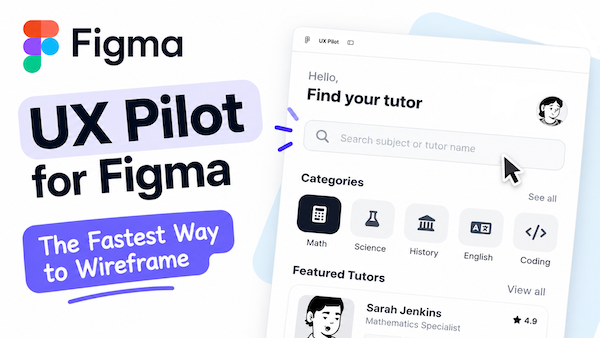
Creating wireframes is an essential part of the UX design process, but building every screen from scratch can take considerable time. When you’re exploring multiple ideas, testing different layouts, or iterating on concepts, the initial wireframing phase can quickly become a bottleneck.
That’s where UX Pilot can help.
What Is UX Pilot?
UX Pilot is an AI-powered plugin for Figma that helps designers generate wireframes and user flows from natural language prompts. Rather than starting with a blank canvas, designers can describe an application or digital experience and receive editable wireframes in seconds.
Getting Started
Launching UX Pilot in Figma is straightforward.
- Open a Figma file.
- Click the Actions icon in the toolbar or press Command K (Mac) or Control K (Windows).
- Select Plugins & Widgets.
- Search for UX Pilot.
- Click Run.
Once the plugin opens, you’re ready to create your first wireframe.
Creating Your First Wireframe
Enter a prompt that describes the experience you want to design.
For example:
Create a lo-fi wireframe mobile app that helps students book tutoring appointments.
After submitting the prompt, UX Pilot generates wireframes and suggested user flows directly within your Figma workspace.
Because the output is fully editable, you can modify layouts, reorganize content, add screens, and continue refining the design using standard Figma tools.
Why Use UX Pilot?
AI-assisted wireframing helps accelerate the early stages of the design process by reducing repetitive work and making it easier to explore ideas.
Benefits include:
- Faster concept generation
- Rapid exploration of multiple design directions
- Automatic creation of wireframe screens
- Support for user flow generation
- Less time spent creating layouts from scratch
- More time available for UX analysis and decision-making
Benefits for Students
For students learning UX design, the goal isn’t to create wireframes as quickly as possible. The goal is to understand how design decisions affect the user experience.
Tools such as UX Pilot allow students to spend more time focusing on:
- User needs
- Information architecture
- Navigation patterns
- Accessibility
- Task flows
- Usability considerations
These are the areas that employers and clients typically evaluate when reviewing UX portfolios and project work.
Pricing
UX Pilot offers both free and paid plans. The free tier is a good starting point for learning and experimentation, while paid plans provide additional capabilities and usage limits.
Since pricing and features may change over time, it’s a good idea to verify the latest details on the UX Pilot website before making a decision.
Final Thoughts
UX Pilot provides a quick and practical way to move from an idea to a set of wireframes without starting from a blank canvas.
By launching the plugin from Figma, entering a prompt, and refining the generated results, designers can accelerate the early stages of ideation while remaining focused on the principles that matter most.
AI can help create wireframes, but successful UX design still depends on research, accessibility, testing, and thoughtful design decisions. When used appropriately, UX Pilot can be a valuable addition to a modern design workflow.