
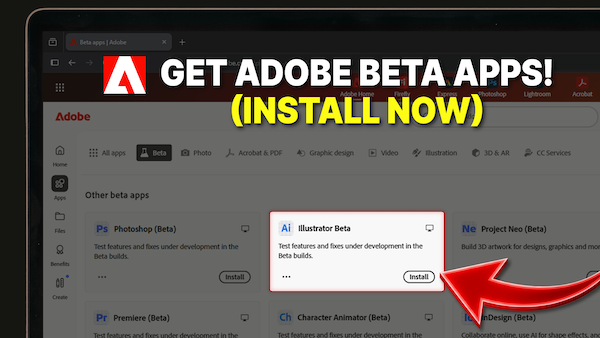
Your version of Illustrator or Photoshop might be “up to date,” but it’s still behind the curve. The most exciting features in the Adobe ecosystem are currently hidden in plain sight. I’m showing you the “secret” tab in Creative Cloud that gives you instant access to the cutting edge of design tech.
You aren’t falling behind; you’re just looking in the wrong place. The cutting edge of Adobe’s development lives in the Beta apps.
Where to Find the “Secret” Apps
Getting set up is incredibly simple, but most people miss it because they look in the wrong spot.
- Open your Creative Cloud Desktop App (or head to adobe.com).
- Avoid the ‘All Apps’ list. This is the common mistake! Most users hunt through the standard list and come up empty.

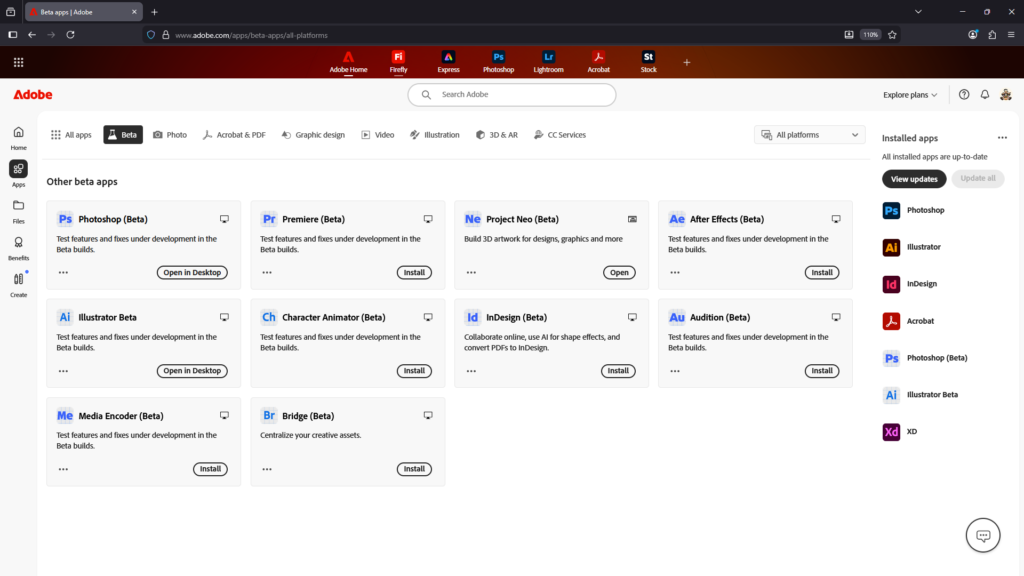
- Look for the ‘Beta Apps’ tab. Right at the top of your sidebar or navigation bar, you’ll see a specific category for Beta. This is where the magic happens.
- From this tab, you can install Beta versions of Photoshop, Illustrator, InDesign, Premiere Pro, and more. If you haven’t tried them yet, just hit Install.
“Is it Safe?” (The Golden Rule of Beta Testing)
The biggest concern designers have is whether installing a Beta version will “break” their stable, reliable version of Photoshop.
The Short Answer: Yes, it is 100% safe.
The Beta version installs as a completely separate application on your computer. It won’t overwrite your regular version, and both versions sync seamlessly to your Creative Cloud storage. In fact, you can actually have both the standard app and the Beta app open at the same time!
Pro Tips for a Smooth Workflow
While the Beta apps are professional-grade and ready for real work, there are two things you should keep in mind to keep your workflow “bulletproof”:
- If you use a feature that only exists in the Beta (like a specific AI tool), try to finish that specific task within the Beta app to ensure it renders perfectly.
- A file saved in a Beta version might not open perfectly in an older version of the standard app if that feature hasn’t been officially ported over yet. Use the Beta to perform the “magic,” save your work, and then you can continue to edit and export your files normally for your portfolio or clients.
Stop waiting for the yearly “Big Update” to get better at your craft. Jump into the Beta apps today and start mastering the tools of tomorrow, today!